Platform Testing Tools
Debug your Open Graph tags across 20+ platforms
Open Graph tags are supposed to be a standard, but every platform does its own thing. Twitter crops images to 1.91:1. Pinterest wants tall 2:3 images. LinkedIn has a completely different set of size requirements than Discord. And some platforms, like Bluesky, bake the card data into the post itself so you can’t even update it after sharing.
If you’ve ever shared a link and wondered why it looked great on Slack but broken on Facebook, that’s why. The “standard” is more of a suggestion.
Per-platform debuggers
OpenGraph+ now has testing tools for over 20 platforms. Enter a URL, pick a platform, and see exactly what your link preview will look like on that specific service. Each tool knows the platform’s image specs, aspect ratio, file size limits, and supported formats.
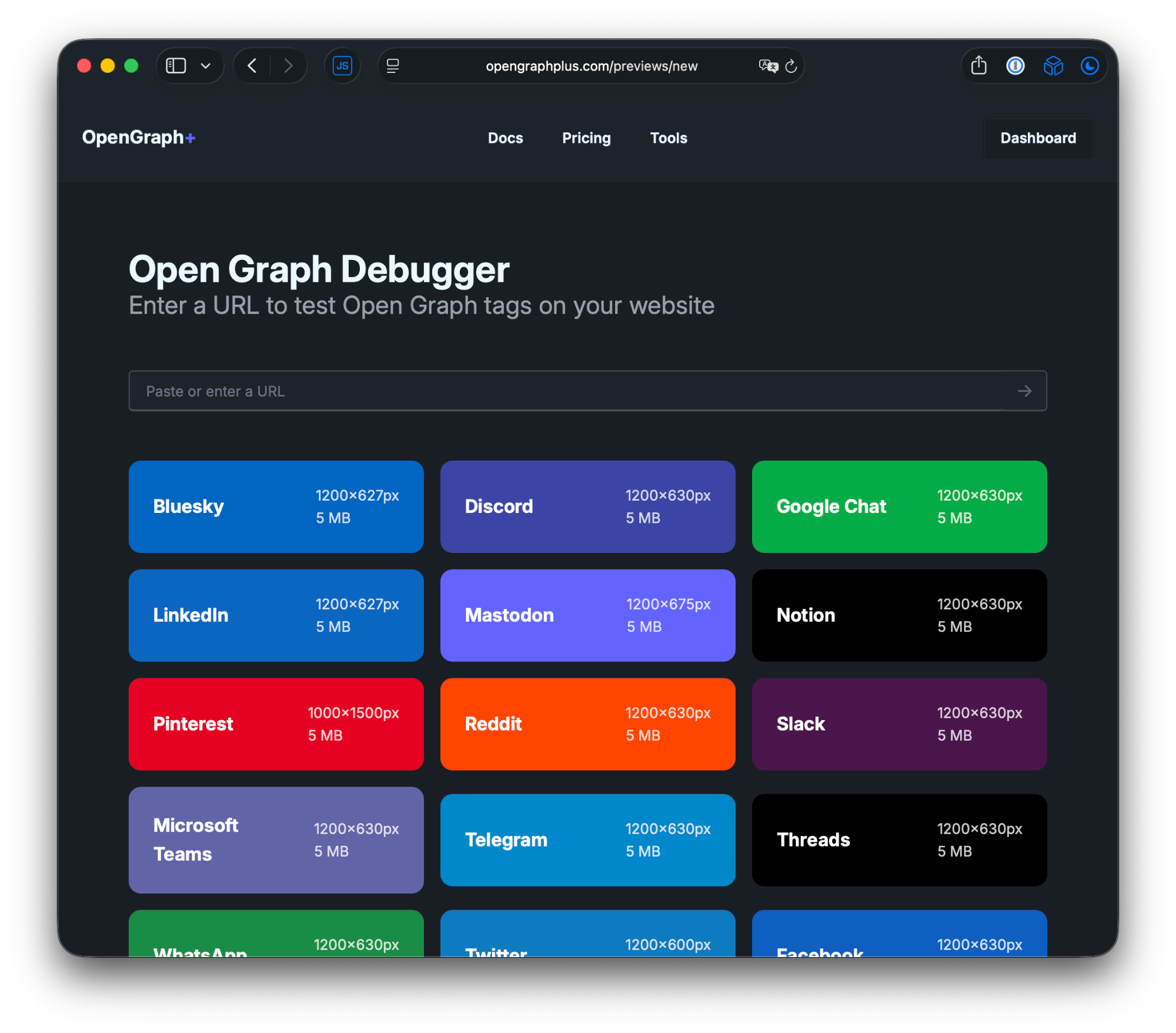
Here’s the full list:
- Twitter/X, Facebook, LinkedIn, Instagram, Threads
- Slack, Microsoft Teams, Discord
- WhatsApp, Telegram, Signal, LINE
- iMessage (Apple Messages)
- Reddit, Pinterest, Bluesky, Mastodon, Tumblr
- TikTok, Snapchat
- Notion, Google Chat
Each platform page also includes the image specs (dimensions, aspect ratio, max file size, formats) and the User-Agent string used by the platform’s crawler. Useful if you’re debugging why a specific bot isn’t picking up your tags.
Why this matters
Most Open Graph debuggers show you your raw meta tags and call it a day. That’s fine for checking if the tags exist, but it doesn’t tell you if your 1200x630 image is going to get cropped weirdly on Pinterest or if your title is going to get truncated on Slack.
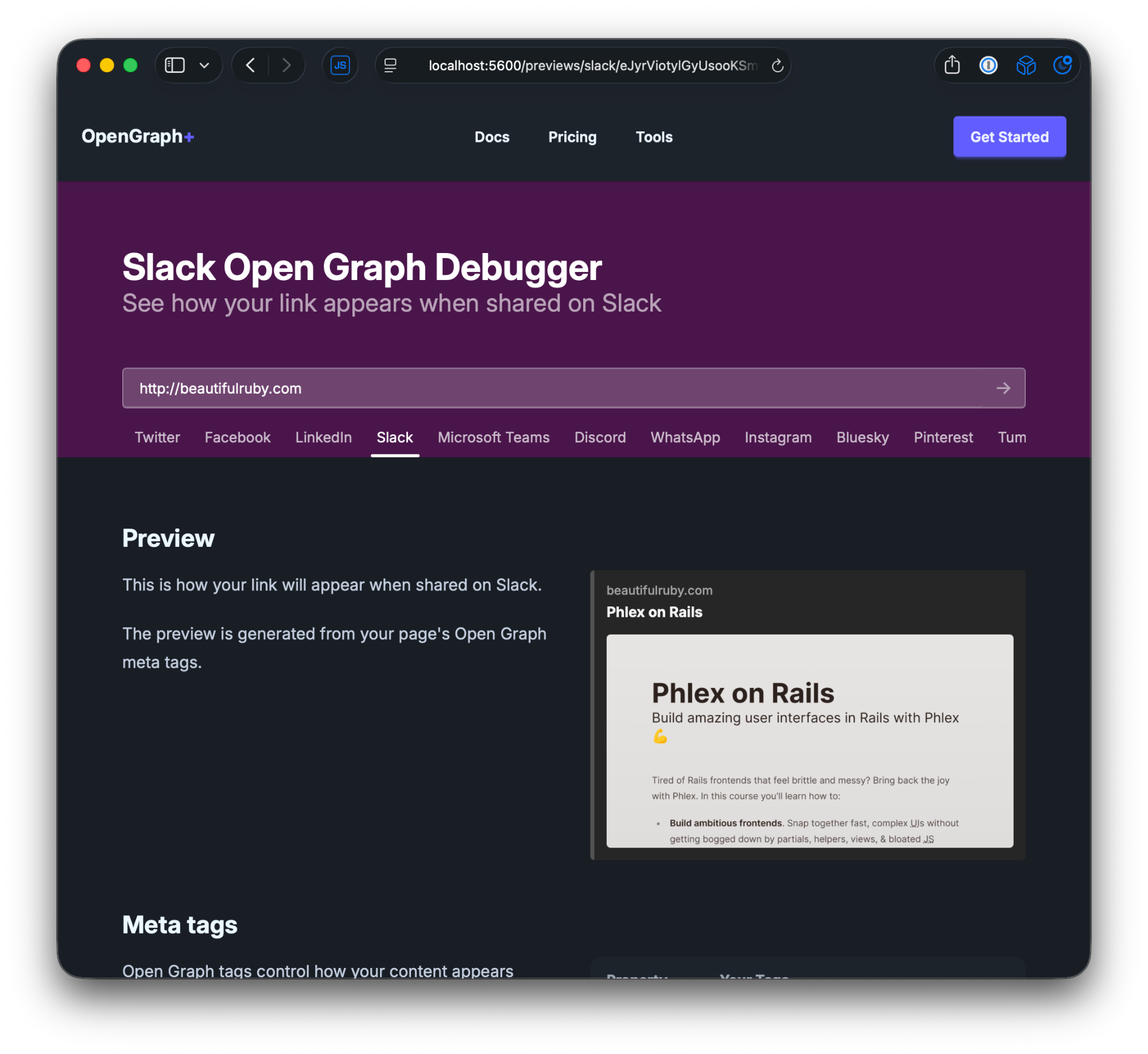
These tools render an actual preview of what the card looks like on each platform. You can see the difference before you share the link and end up in the “delete and re-post” cycle.
How the crawler detection works
When a social platform fetches your URL to generate a preview, it sends a User-Agent header that identifies itself. OpenGraph+ uses these patterns to figure out which platform is requesting the image, then serves the right rendition for that platform’s specs.
Some platforms share crawlers. Instagram and Threads both use Facebook’s facebookexternalhit bot, so there’s no way to tell them apart at the HTTP level. The testing tools still let you preview how your link will look on each one individually, since they have different card layouts.
Other platforms like Signal, Notion, and Google Chat have less documented crawlers, so those are best-effort matches. The testing tools work great for previewing, even if the crawler detection is fuzzy.
Try it out
Head to the Open Graph Validator and paste a URL. Pick a platform from the grid and see how your link looks.