Apple has rejected the Mac app three times
For a link to this website.
OpenGraph+ for Mac shows you what a link will look like on Slack, LinkedIn, iMessage and twenty other places before you post it. It's free. There is nothing in it to buy. At the bottom of the welcome screen there was one link: Learn more at opengraphplus.com.
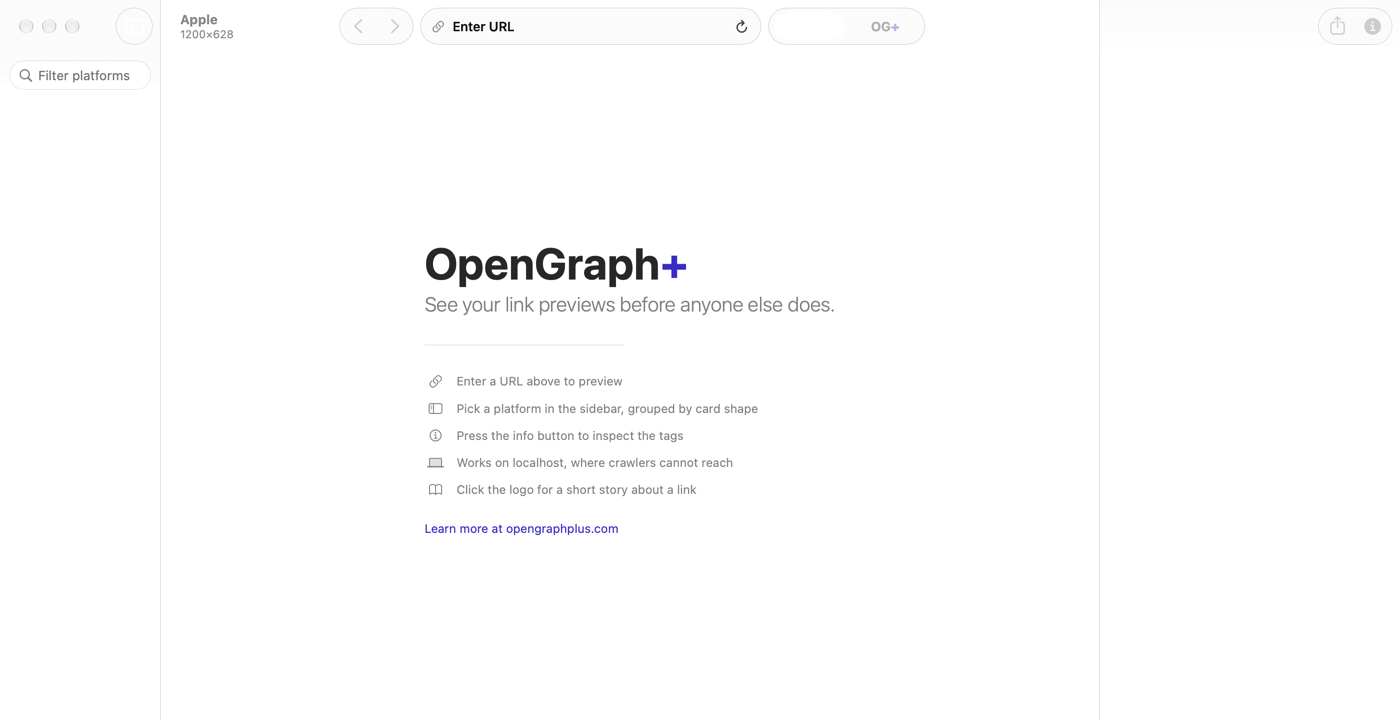
That link has now cost me three rejections and two weeks.
Round one
Guideline 3.1.1. Where, the reviewer asked, are the in-app purchases for the Creator, Business and Enterprise plans?
Those are hosting plans. You buy them on this website, for your website. The Mac app has never heard of them. I said so, and pointed at the guideline that says free companion apps to paid web services don't need in-app purchase. Apple wrote that one. It's 3.1.3(f).
Round two
Same guideline, plus a screenshot of the link, in case I'd forgotten where I put it. The objection, in full: my website has a Pricing page.
Fine. I removed the link. I removed two smaller links. I removed the one request the app made to this site, a public list of image sizes, and bundled the list instead. What went back for review linked to nothing and contacted nothing.
Round three
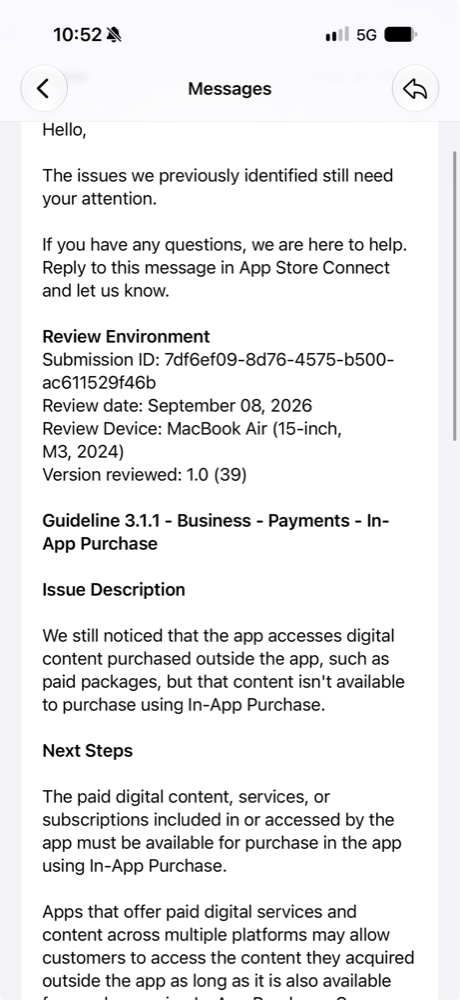
It accessed nothing. There are no packages. The notice then explains how to implement StoreKit.
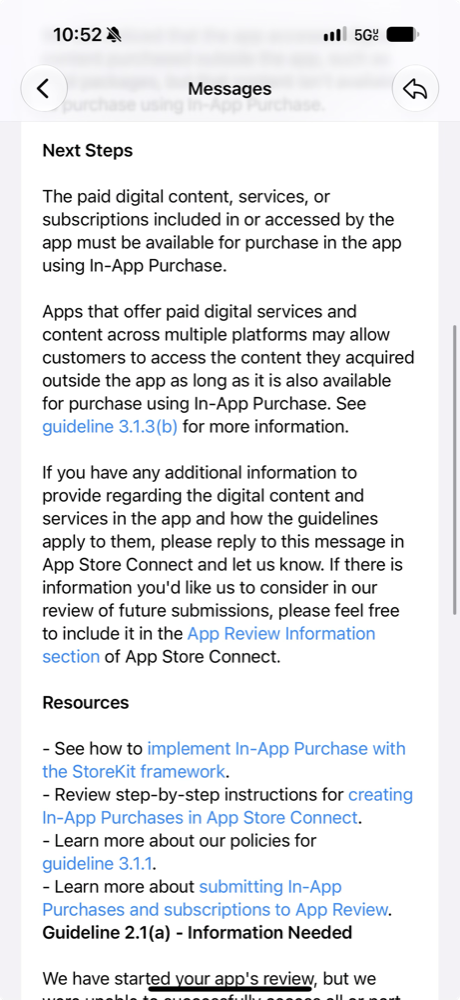
The user experience
That's the phrase. Apple controls what apps may link to, it says, to protect the user experience. Here is the user experience.
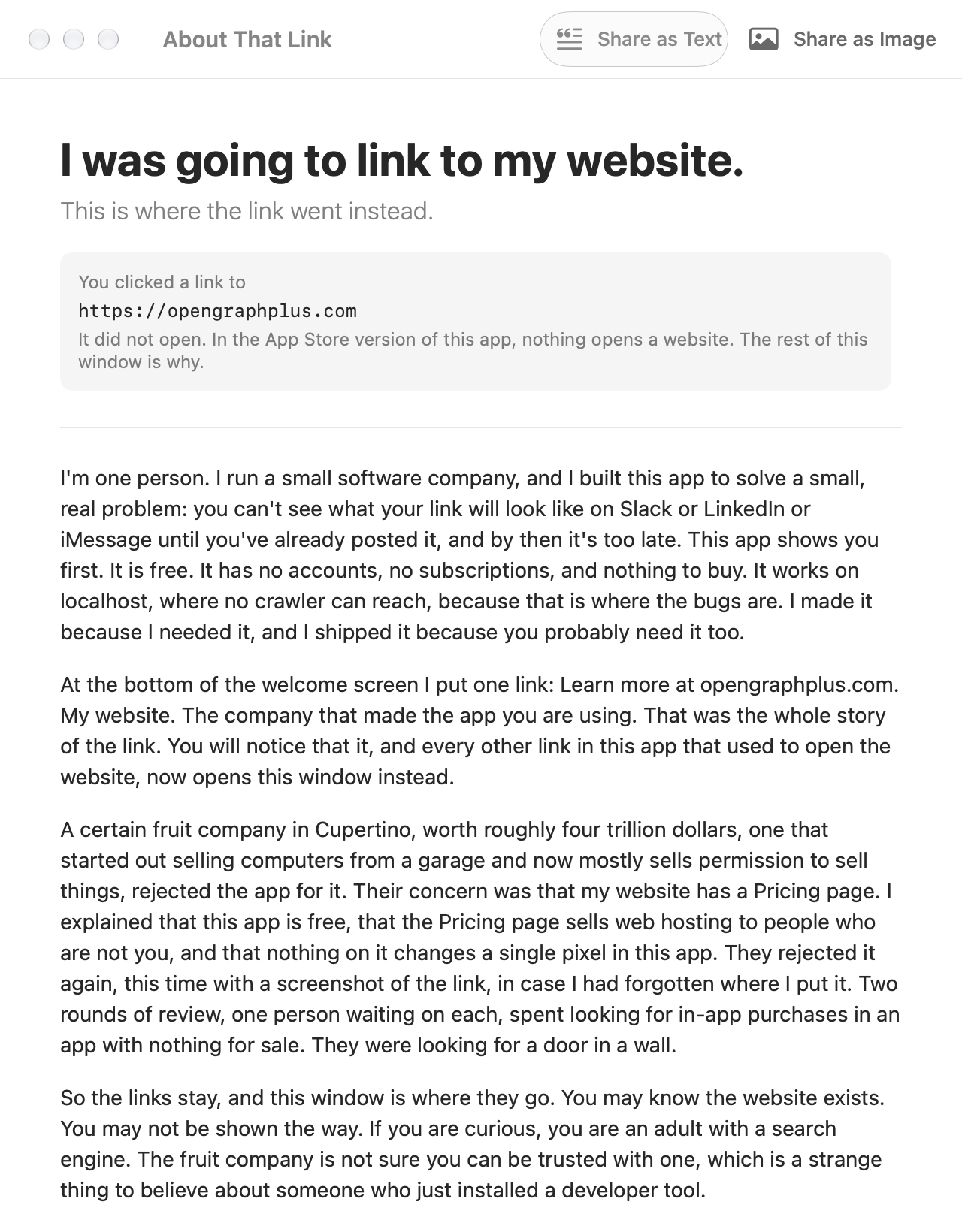
The app now builds two ways from the same code. One compiler flag. In the version Apple gets, clicking Learn more at opengraphplus.com does this:
In the version you'll download from this site, clicking the link does what links have done since 1991:
Same app. Same click. Apple's version is the one that goes nowhere. Nobody asked for that window; Apple's review process built it, one rejection at a time. So the window explains itself, ships the court record as PDFs, and has a share button.
Who Apple has been talking to
The replies Apple has been reading were drafted with an AI. So were the app changes, and this post. The AI asked one question three times, more plainly each time: name the thing in this app that is for sale. Nobody at Apple has answered. Each rejection is the same template with the same StoreKit links. A template has been arguing with a language model for two weeks while a human on each side waits for the other to say something new.
That's what review is. Not a reading of the app. A checklist held up to a description of one.
The court already said no
In 2021 a federal court ordered Apple to stop forbidding "buttons, external links, or other calls to action" in apps. In April 2025 the same judge found Apple in willful violation, found that a senior executive had lied under oath about it, and referred the matter for criminal contempt. The Ninth Circuit affirmed in December. The Supreme Court took the appeal in June and refused to pause the order. Apple's own guidelines now say United States storefront apps may include these links.
The documents are in About That Link, and inside the app as PDFs.
Why the Mac App Store is empty
This is why. Not one policy. A thousand small rejections, each polite, each costing a week, until everyone who ships software for a living shrugs and puts a download button on their own website. I'm about to.
That is the user experience Apple is protecting.
What to do
If Apple approves the app, install it and click the logo. If not, the direct build is coming. Either way, pass this along. The next developer to hit this wall should find out in five minutes that it has a court order taped to it.